
Runcell
Understands your Jupyter notebook, writes and executes code.
Freemium
-
Quick Info
Launch Date31 Aug '25
PricingFreemium
Categories
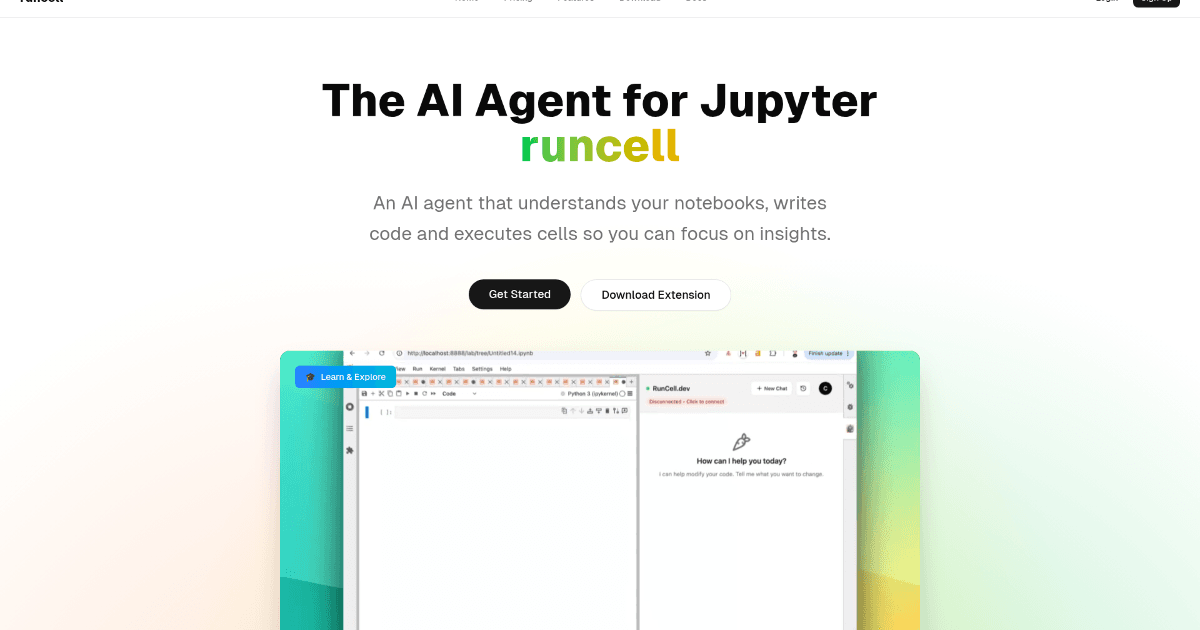
Runcell – An AI agent that understands and automates your Jupyter notebook workflows.
Runcell is an AI-powered assistant designed to transform the Jupyter notebook experience for data scientists, developers, and researchers. By understanding the context of your notebook, it can write, execute, and explain code, turning a static development environment into an interactive, automated workspace. This tool is part of a growing ecosystem of AI automation tools that enhance productivity for technical teams.
For professionals who rely on Jupyter for data analysis, machine learning, and research, Runcell automates repetitive tasks, provides intelligent code suggestions, and offers an educational layer to explain complex concepts. It integrates directly into the notebook interface, aiming to reduce context switching and allow users to focus on deriving insights rather than manual execution.
What is Runcell?
Runcell is an innovative AI agent specifically built for Jupyter notebooks. It acts as an intelligent co-pilot that can read your notebook's content, understand your goals, and assist by writing, running, and explaining code cells. It moves beyond simple code completion to offer a more contextual and autonomous assistance experience.
The tool is designed to cater to the entire workflow within a notebook, from initial exploration and algorithm testing to final execution and documentation. By automating cell execution and providing live explanations, it serves both productivity and educational purposes, making it a versatile addition to the code assistant category.
Key Features
Runcell offers several distinct modes of operation:
Interactive Learning Mode: Acts as an AI teacher, explaining complex data science and machine learning concepts with live, executable examples directly in the notebook.
Autonomous Agent Mode: Enables full notebook automation, executing sequences of cells and completing predefined workflows without manual intervention.
Smart Edit Mode: Provides intelligent code suggestions, refactoring advice, and modifications to improve code quality and efficiency.
AI-Enhanced Execution: Generates solutions to errors, offers optimization recommendations, and can troubleshoot code based on the notebook's context.
Use Cases
Data Scientists automating repetitive data analysis pipelines and model evaluation steps.
Academic Researchers and Teachers using the interactive mode to create live tutorials or explain algorithm differences (e.g., K-means vs. DBSCAN).
Machine Learning Engineers streamlining the training, validation, and deployment scripting process within a single notebook.
Freelance Analysts and Developers enhancing project workflows by offloading execution and boilerplate code generation to the AI agent.
Underlying AI Models or Technology
Runcell leverages advanced natural language processing models to understand the context, comments, and code within a Jupyter notebook. Its core functionality is built upon large language models (LLMs) fine-tuned for technical domains, enabling it to interpret user intent, generate syntactically correct code, and provide coherent explanations.
The agent's ability to autonomously execute workflows suggests integration with notebook kernels and an understanding of state management between cells. Its educational component relies on strong text generation capabilities to produce clear, instructive content tailored to the code and data present in the user's environment.
Pricing
Runcell operates on a freemium model. The Hobby plan is free and includes a monthly credit allowance for AI executions, along with community support. The Pro plan is a paid subscription that offers a significantly higher credit limit, unlimited code completions, and priority support.
Pricing details are subject to change. For the most current and accurate information, please refer to the official Runcell website.
Pros and Cons
Pros
Significant Time Savings: Automates cell execution and repetitive coding tasks.
Enhanced Learning: Interactive explanations with live examples provide a practical understanding of complex topics.
User-Friendly Integration: Works seamlessly within the familiar Jupyter notebook interface, minimizing the learning curve.
Improved Code Quality: Smart editing and suggestions help optimize and refactor code.
Cons
Platform Limitation: Exclusively designed for Jupyter notebooks, which may not suit users of other IDEs or coding environments.
Initial Setup: Some users may encounter a learning curve or configuration steps when integrating the agent into their workflow.
Alternatives
Several other tools aim to enhance the coding and data science workflow. Key alternatives in the broader workflows and AI assistant space include:
GitHub Copilot: A widely-used AI pair programmer that provides code suggestions across many editors and languages, though less focused on notebook automation.
Amazon CodeWhisperer: An AI coding companion that generates code suggestions, with security scanning features.
Cursor: An AI-powered editor built for pair programming, offering advanced chat and edit modes within a dedicated IDE.
Jupyter AI: An official generative AI extension for JupyterLab that provides a native chat interface and magic commands for assistance within notebooks.
Frequently Asked Questions
Embed This Tool
Add this badge to your website to show that Runcell is featured on AIPortalX.

Featured on AIPortalXRuncell
to leave a comment