
Doco
The best AI Agent for Microsoft Word.
Freemium
-
Quick Info
Launch Date25 Nov '25
PricingFreemium
Categories
Doco – Your AI-Powered Writing Assistant Inside Microsoft Word
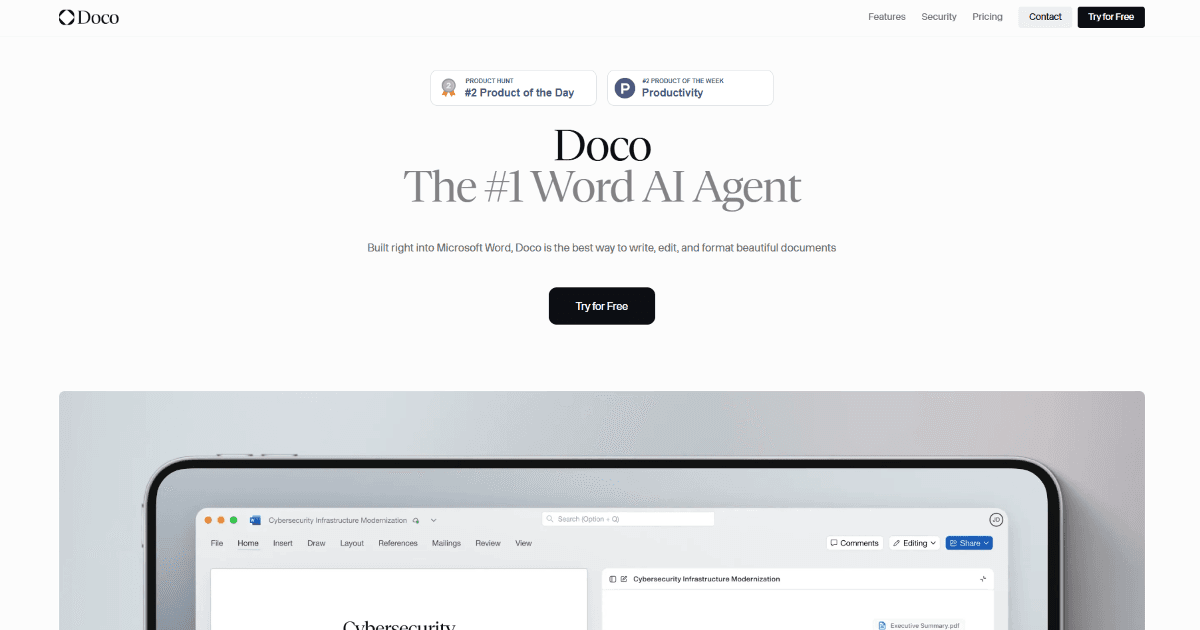
Doco is an AI agent that integrates directly into Microsoft Word, transforming the familiar word processor into a smart document creation and editing partner. It is designed to assist users across various professions by streamlining the drafting, editing, and formatting process, allowing them to focus on content rather than mechanics. This tool is particularly valuable for professionals who rely on precise, well-structured documents as part of their daily workflow.
As a specialized AI agent, Doco leverages your existing documents and knowledge to generate relevant content, making it a powerful tool for anyone from legal experts to students. Its deep integration with Word eliminates the need to switch between applications, creating a seamless and efficient user experience.
What is Doco?
Doco is your AI-powered companion built directly into Microsoft Word, designed to enhance your document creation and editing experience. Its primary function is to assist users in drafting, editing, and formatting documents with precision and ease. Whether you're a professional writer, a student, or a legal expert, Doco simplifies the process of creating polished documents by understanding your existing files and workflows.
Unlike generic writing assistants, Doco grounds its suggestions in your specific data, ensuring outputs are relevant and accurate. This makes it a standout tool in the broader ecosystem of content and writing tools, offering a more personalized and context-aware approach to document generation.
Key Features
Doco's features are designed to make document creation faster, more accurate, and deeply integrated into your existing work.
Key features include:
- Grounded in Your Data: Utilizes your existing documents and knowledge base to draft relevant and accurate content.
- Traceable Edits: Every AI-suggested change is linked back to the source file and section, providing full transparency and control.
- Workflow Customization: Learns from your editing patterns to create and suggest personalized document creation workflows.
- Style-Perfect Editing: Ensures consistency in tone, formatting, and style while tracking all changes within Word's native interface.
- Enterprise-Grade Security: Features SOC 2 Type II certification, ensuring data privacy and security for all users.
Use Cases
Doco is versatile and supports a wide range of professional and academic document creation tasks.
- Legal Professionals: Drafting and refining contracts, briefs, and other legal documents with precision.
- Professional Writers & Researchers: Enhancing essays, reports, technical documentation, and manuscripts.
- Government & Administrative Work: Managing official communications, policy documents, and contracts.
- Students & Academics: Improving the structure, clarity, and polish of theses, dissertations, and research papers.
- Business Professionals: Creating consistent project briefs, proposals, and internal documentation efficiently.
Underlying AI Models or Technology
Doco is powered by advanced natural language processing (NLP) models that understand context, style, and document structure. These models are fine-tuned to work specifically within the framework of long-form document creation and editing.
The core technology involves language generation and retrieval-augmented generation (RAG), allowing Doco to pull information from a user's uploaded documents to inform its suggestions. This ensures the AI's output is not just grammatically correct but also factually grounded in the user's specific content, making it highly effective for technical and legal writing where accuracy is paramount.
Pricing
Doco operates on a freemium model with several tiers to accommodate different user needs:
- Free Plan: $0 per month. Includes 10 credits and access to Workflows and Projects, suitable for small-scale experimentation.
- Starter Plan: $19 per month. Includes 100 monthly credits, storage for up to 50 library files, and 50MB of library space, ideal for individual users.
- Pro Plan: $250 per month. Offers unlimited credits, unlimited library uploads, and priority support for professionals with high-volume needs.
- Enterprise Plan: Custom pricing. Includes all Pro features plus SSO/SAML, custom integrations, role-based access, dedicated support, and an SLA for large organizations.
Please note that pricing information may change. For the most accurate and current details, refer to the official Doco website.
Pros and Cons
Pros
- Significant Time Savings: Dramatically reduces drafting and editing time by automating formatting and content suggestions.
- Enhanced Precision & Accuracy: Particularly effective for complex legal and technical documents due to its data-grounded approach.
- Seamless User Experience: Direct integration into Microsoft Word means no context switching, making it highly convenient for daily use.
- Strong Security: SOC 2 Type II certification provides assurance for handling sensitive business and legal documents.
Cons
- Platform Limitation: Exclusively integrated with Microsoft Word, which may not suit users of Google Docs or other word processors.
- Initial Setup Learning Curve: Customizing workflows and training the agent on your data may require an initial time investment.
- Cost for High Volume: The Pro and Enterprise plans represent a significant investment, which may be a barrier for individual users or small teams with extensive needs.
Alternatives
While Doco's deep Word integration is unique, several other tools assist with document creation and editing. Users looking for business and legal-focused AI tools might consider the following alternatives:
- Grammarly: A widely-used writing assistant that checks grammar, tone, and clarity across many platforms, including web browsers and Microsoft Office.
- Jasper: An AI content creation platform focused on marketing copy, blog posts, and other business content, operating primarily as a web app.
- Lex: A minimalist, AI-powered writing tool designed for distraction-free drafting and editing of long-form content.
- Copy.ai: Specializes in generating marketing and sales copy, social media content, and website text through a conversational interface.
Frequently Asked Questions
Embed This Tool
Add this badge to your website to show that Doco is featured on AIPortalX.

Featured on AIPortalXDoco
to leave a comment