
Copilot for Microsoft 365
Transforms Microsoft 365 into an AI-driven productivity powerhouse.
Freemium
-
Quick Info
Launch Date6 Dec '25
PricingFreemium
Copilot for Microsoft 365 – AI-Powered Productivity Within Your Office Suite
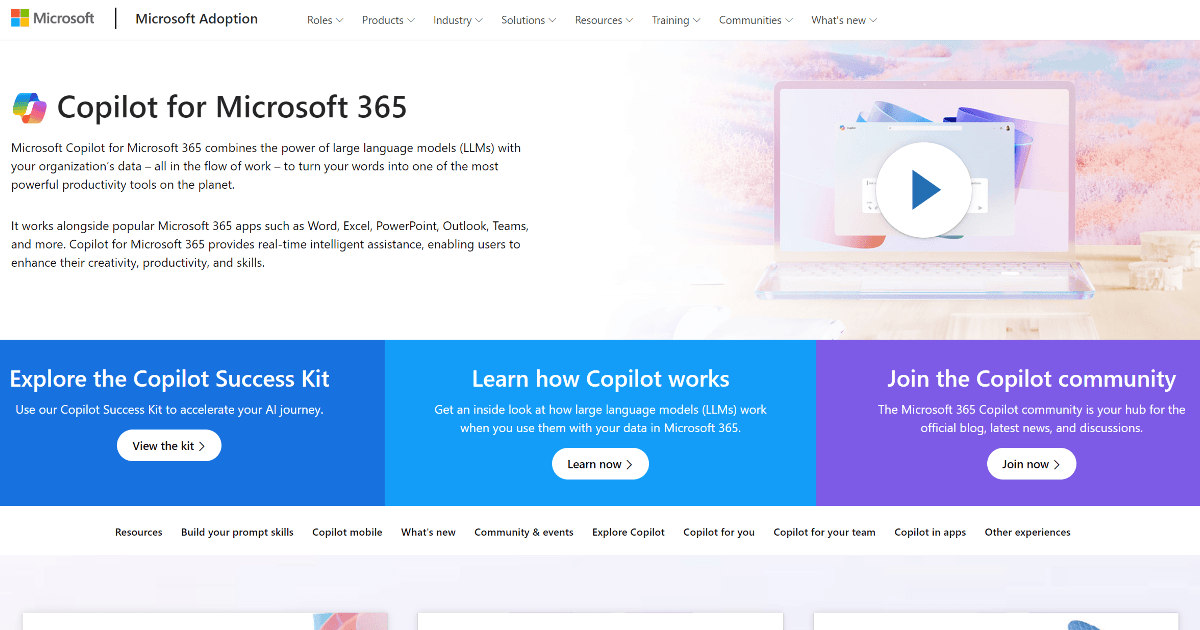
Copilot for Microsoft 365 transforms the familiar Microsoft 365 suite into an AI-driven productivity powerhouse. It integrates directly into applications like Word, Excel, PowerPoint, Outlook, and Teams, using advanced language models to automate tasks, generate content, and streamline workflows. This tool is designed for organizations seeking to enhance efficiency and creativity by leveraging their existing data within the Microsoft ecosystem. For teams focused on improving workplace productivity, it represents a significant step forward in AI automation tools.
What is Copilot for Microsoft 365?
Copilot for Microsoft 365 is an enterprise-grade AI assistant built directly into the Microsoft 365 suite. Its core function is to analyze organizational data and context to provide intelligent assistance, turning natural language prompts into actions across Word, Excel, PowerPoint, Outlook, and Teams. It is designed to enhance productivity, creativity, and decision-making by automating repetitive tasks and generating content within the secure confines of an organization's Microsoft 365 tenant.
Unlike standalone chatbots, Copilot's unique value lies in its deep integration. It understands the context of your documents, emails, and meetings, allowing it to draft responses based on previous communications, create data summaries from spreadsheets, or generate presentation outlines from existing reports. It is a prime example of how personal assistant technology is evolving to work within specific software ecosystems.
Key Features
Real-Time Assistance: Provides instant suggestions, content generation, and data analysis directly within Microsoft 365 apps.
Deep App Integration: Works cohesively within Word, Excel, PowerPoint, Outlook, and Teams, leveraging content and context from each.
Intelligent Automation: Automates repetitive tasks like email sorting, meeting summarization, and data formatting.
Enterprise Security & Compliance: Operates within Microsoft's robust security, compliance, and privacy boundaries, using organizational data responsibly.
Adaptive Learning: Continuously improves its suggestions based on user interactions and organizational data patterns.
Use Cases
Corporate Executives: Streamlining decision-making by quickly generating reports, summarizing lengthy documents, and drafting communications.
Project Managers: Creating project plans in Word, tracking timelines and budgets in Excel, and generating status update presentations.
Sales & Marketing Teams: Drafting personalized customer emails in Outlook, analyzing campaign data in Excel, and creating sales pitch decks in PowerPoint.
IT Professionals: Automating data analysis and report generation, and managing internal documentation and knowledge bases.
Legal & Compliance Teams: Summarizing contract clauses, comparing document versions, and ensuring communications adhere to compliance templates.
Underlying AI Models or Technology
Copilot for Microsoft 365 is powered by advanced large language models (LLMs), including OpenAI's GPT-4, which are fine-tuned and integrated with Microsoft's proprietary models and the Microsoft Graph. The Microsoft Graph provides the crucial context by securely accessing an organization's data—emails, documents, calendars, and chats—enabling the AI to deliver personalized and relevant assistance. This combination allows Copilot to perform complex natural language processing tasks.
The technology stack is designed for enterprise-scale reliability and security. It leverages Microsoft's Azure OpenAI Service and adheres to the company's responsible AI principles. Core capabilities include text summarization, content generation, data analysis, and semantic search across an organization's Microsoft 365 data, all performed within its secure compliance boundary.
Pricing
Copilot for Microsoft 365 is offered as an add-on license for commercial Microsoft 365 plans. Pricing typically starts at $30.00 per user per month. Enterprise-level pricing may be customized based on the organization's size, specific Microsoft 365 subscription tier, and volume commitments.
It is important to note that a Copilot license requires an eligible Microsoft 365 subscription (such as Microsoft 365 E3, E5, Business Standard, or Business Premium). For the most accurate and current pricing and licensing details, organizations should consult their Microsoft account representative or the official Microsoft website.
Pros and Cons
Pros
Seamless Integration: Provides a unified, context-aware experience directly within the Microsoft 365 apps users already work in daily.
Enterprise-Grade Security: Operates within Microsoft's compliance and data governance frameworks, addressing key privacy concerns for businesses.
Significant Productivity Gains: Dramatically reduces time spent on document creation, data analysis, email management, and meeting follow-ups.
Scalability: Suitable for organizations of all sizes, from small businesses to large global enterprises.
Cons
Dependency on Microsoft Ecosystem: Its value is maximized only for organizations fully invested in Microsoft 365; it offers limited utility outside this environment.
Learning Curve: Users and administrators may require training and time to adopt new workflows and fully leverage its advanced features.
Premium Cost: The per-user monthly fee is an additional cost on top of existing Microsoft 365 subscriptions, which may be a barrier for some organizations.
Alternatives
For teams not exclusively using Microsoft 365 or seeking AI assistance for specific functions, several alternatives exist. These range from broad AI assistants to specialized tools for email and customer support.
Google Duet AI for Workspace: Google's equivalent AI assistant integrated into Google Workspace apps like Docs, Sheets, and Gmail.
Notion AI: An AI writing and summarization assistant built into the Notion workspace platform.
GrammarlyGO: An AI writing assistant focused on improving clarity, tone, and grammar across various platforms and applications.
Zapier Central: An AI workspace that connects to thousands of apps, allowing for automation and data interaction across different software ecosystems.
Frequently Asked Questions
Embed This Tool
Add this badge to your website to show that Copilot for Microsoft 365 is featured on AIPortalX.

Featured on AIPortalXCopilot for Microsoft 365
to leave a comment