
Motion
Boost productivity and manage tasks, projects, meetings seamlessly with AI.
Paid
-
Quick Info
Launch Date31 Aug '25
PricingPaid
Collections
Motion – AI-powered task and project management for optimal productivity
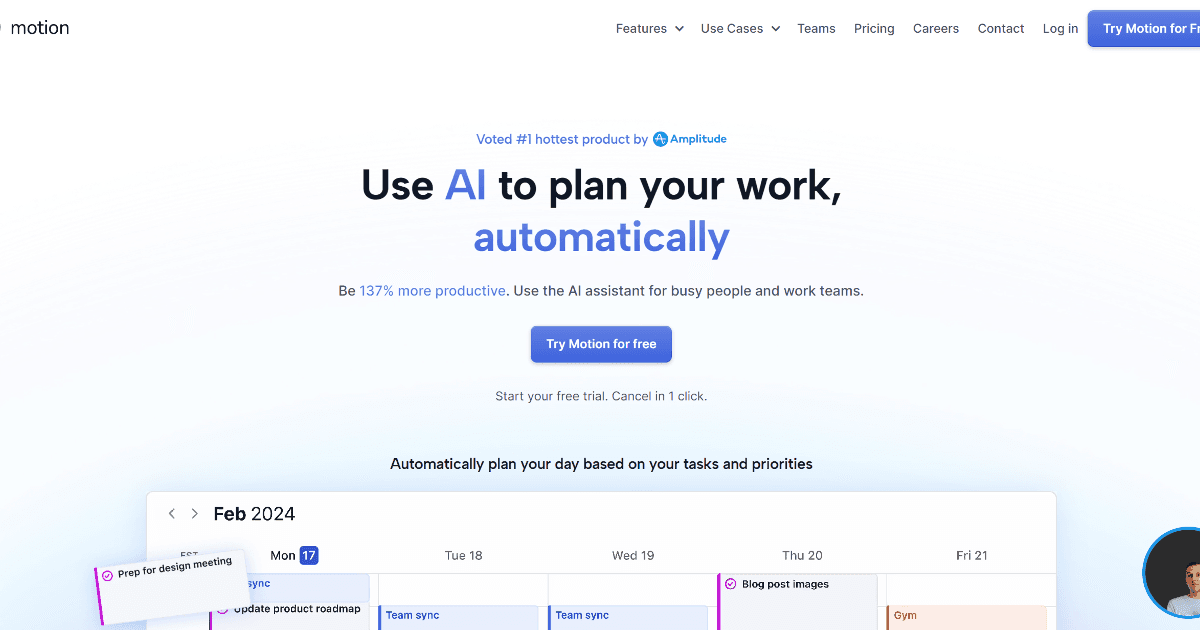
Motion is an AI-powered personal assistant designed to automate the planning, scheduling, and prioritization of work for individuals and teams. It integrates task management, project planning, and meeting scheduling into a single platform, aiming to significantly boost efficiency and reduce the cognitive load of manual organization. By intelligently managing calendars and workloads, Motion helps users focus on execution rather than planning.
Positioned within the broader ecosystem of project management solutions, it distinguishes itself with a unique algorithm focused on user satisfaction alongside productivity.
What is Motion?
Motion is a comprehensive productivity platform that acts as an intelligent scheduler and project manager. It automatically organizes tasks and meetings based on deadlines, priorities, and dependencies, dynamically adjusting plans in real-time as new items are added or circumstances change. The tool is built for professionals and teams who need to manage complex workloads without the overhead of manual calendar management.
Its core value proposition is consolidating multiple tools—like to-do lists, project management apps, and schedulers—into one unified system. This approach is common among modern AI productivity tools, but Motion emphasizes its proprietary "Happiness Algorithm" designed to optimize for user well-being and sustainable work patterns, not just output.
Key Features
- Automated Task Scheduling: Organizes tasks and projects directly onto your calendar, adjusting schedules in real-time based on priorities and new inputs.
- Intelligent Task Prioritization: Evaluates all tasks and projects using an advanced algorithm to determine what to work on next based on deadlines, dependencies, and effort.
- Project Management: Breaks down complex projects into actionable plans and timelines, handling the planning so users can focus on execution.
- Automated Meeting Scheduling: Streamlines booking with automated scheduling pages and availability management to find optimal meeting times.
- Workload Reporting & Calendar Syncing: Provides insights into team and individual workloads to prevent overcommitment and syncs with Google, Outlook, and Apple calendars for a unified schedule view.
Use Cases
- Service Businesses & Consultants: Managing client projects, deliverables, and internal task deadlines efficiently.
- Marketing and Creative Agencies: Organizing campaign timelines, creative reviews, and collaborative project work.
- Startups and Product Teams: Coordinating cross-functional sprints, feature development, and launch timelines.
- Freelancers & Solopreneurs: Juggling multiple client projects, administrative tasks, and meeting schedules from a single interface.
- Educational Project Planning: Academics and students managing research timelines, paper deadlines, and group project coordination.
Underlying AI Models or Technology
Motion utilizes proprietary AI algorithms for scheduling, prioritization, and workload management. Its core technology analyzes task parameters—such as deadlines, estimated duration, and dependencies—to construct and continuously optimize a dynamic schedule. The system likely employs constraint satisfaction and optimization techniques common in
automated planning systems. While not explicitly a natural language processing tool, Motion may integrate NLP for parsing task descriptions or email inputs. Its unique "Happiness Algorithm" suggests an additional layer modeling user preferences and work patterns to balance productivity with well-being, an application of behavioral modeling within AI systems.
Pricing
Motion operates on a subscription model with plans for individuals and teams. The company offers a free trial period for new users to evaluate the platform. Detailed and current pricing information, including specific features for each tier, is available directly on the official Motion website.
Pros and Cons
Pros
- Significant Productivity Gains: Automates planning, freeing mental energy for focused work and reportedly boosting productivity.
- Reduced Stress and Overwhelm: By handling prioritization and scheduling, it lowers the cognitive load of managing a complex workload.
- Unified Platform: Combines task management, project planning, and meeting scheduling, reducing context switching between multiple apps.
Cons
- Learning Curve: New users may require time to fully understand and effectively configure the tool's automated scheduling logic.
- Dependency on Digital Workflow: Less suitable for individuals or teams who prefer analog or non-integrated planning methods.
- Integration Scope: While it offers key calendar and meeting integrations, some users may desire more extensive third-party app connectivity.
Alternatives
Several other tools offer AI-assisted scheduling and productivity management. Users evaluating Motion might also consider solutions focused on workflow automation or more traditional project management platforms with AI add-ons.
- Reclaim.ai: Focuses on AI-powered calendar scheduling and time blocking to protect focus time and habits.
- Sunrise Calendar (discontinued, but concept lives on): Was known for intelligent calendar aggregation and a clean interface.
- Todoist with Smart Schedule: A popular task manager that uses AI to suggest dates for tasks based on due dates and past behavior.
- Asana or ClickUp with Automation: Full-featured project management platforms that offer rule-based automation and some AI features for task management.
Frequently Asked Questions
Embed This Tool
Add this badge to your website to show that Motion is featured on AIPortalX.

Featured on AIPortalXMotion
to leave a comment