
Google Earth Studio
Animate Earth's imagery for cinematic storytelling with Google Earth Studio.
Free
-
Quick Info
Launch Date22 Sep '25
PricingFree
Categories
Google Earth Studio – Animate the Planet for Cinematic Storytelling
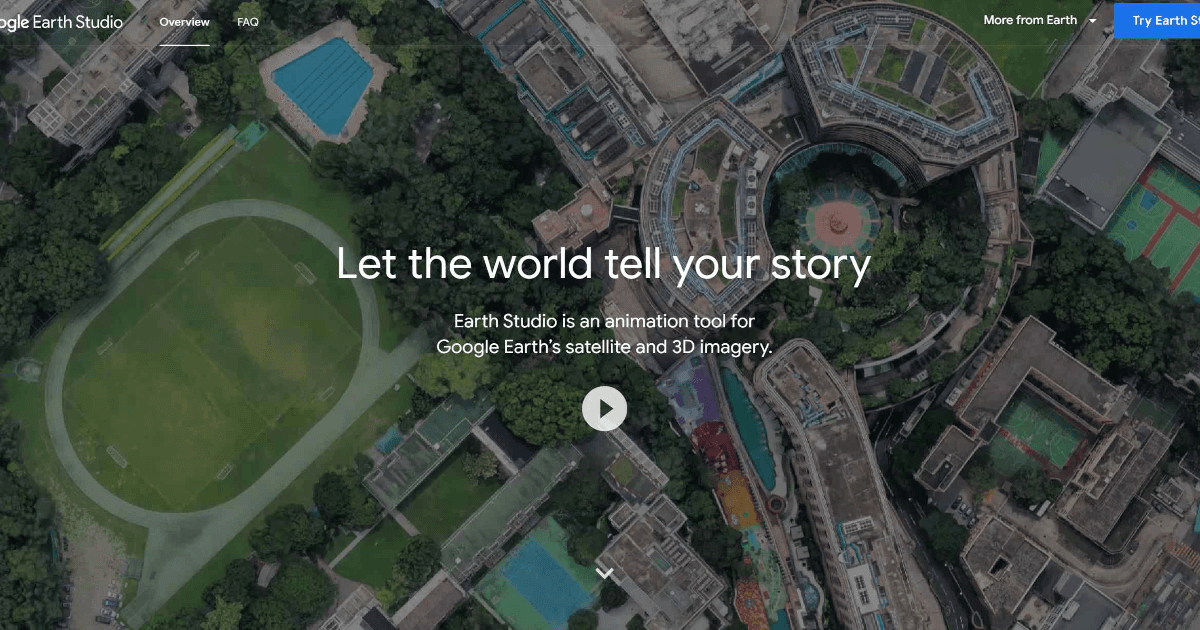
Google Earth Studio is an advanced animation tool that transforms the world's geography into a dynamic canvas for creators. By leveraging Google Earth's extensive satellite and 3D imagery, it enables the production of stunning, cinematic animations and videos. This tool is designed for a wide audience, from filmmakers and marketers to educators and researchers, providing a powerful platform for visual storytelling with a geographic context.
As part of the broader ecosystem of video generation tools, it stands out by offering unique access to real-world landscapes and cityscapes, making it an indispensable resource for creating compelling visual narratives.
What is Google Earth Studio?
Google Earth Studio is a browser-based animation application that provides professional-grade tools for animating camera movements over Google Earth's global imagery. It allows users to create smooth flights over terrain, orbits around points of interest, and complex camera paths to produce high-quality video content.
The tool is particularly valuable for projects requiring authentic geographic visualization, bridging the gap between static maps and fully animated sequences. It is a key offering within the video and media creation landscape, providing a specialized solution for location-based storytelling.
Key Features
- Keyframe Animation: Utilizes industry-standard keyframing to animate camera movements, position, and rotation for precise control.
- Quick-Start Templates: Offers pre-built animation templates for orbits, point-to-point flights, and other common moves to accelerate creation.
- Animatable Effects: Allows control and animation of environmental elements like the sun's position and the camera's field of view to enhance realism.
- 3D Camera Export: Supports exporting camera data to Adobe After Effects for seamless integration into professional post-production workflows.
- High-Resolution Imagery: Leverages Google Earth's constantly updated satellite, aerial, and 3D imagery for stunning visual fidelity.
Use Cases
- Filmmakers and Animators: Creating dynamic establishing shots, backdrops, and visual effects for films, documentaries, and animations.
- Broadcast Media: Enhancing news reports, weather segments, and documentaries with accurate geographic visuals and flyovers.
- Educators: Developing engaging visual aids for geography, history, environmental science, and social studies lessons.
- Marketing Professionals: Crafting compelling visual narratives for promotional videos, real estate tours, and travel advertisements.
- Urban Planners and Environmentalists: Visualizing city development projects, illustrating climate change impacts, and presenting spatial data.
Underlying AI Models or Technology
Google Earth Studio is built upon the massive geospatial data infrastructure of Google Earth, which combines satellite imagery, aerial photography, and 3D terrain data. The core technology involves advanced computer vision and graphics processing to stream and render high-resolution imagery in real-time within the browser.
While not a generative AI tool itself, its foundation relies on sophisticated computer vision models for processing imagery and techniques related to 3D reconstruction and spatial mapping. The animation engine uses traditional computer graphics algorithms for smooth interpolation and camera control, providing a professional toolset for manipulating this vast visual dataset.
Pricing
Google Earth Studio is available for free. Access is granted by requesting it through a Google account. There are no subscription fees or usage tiers, making it highly accessible for individual creators, educators, and organizations of all sizes.
Pros and Cons
Pros
- Free to Use: No cost barrier for high-quality geographic animation.
- Unmatched Visual Library: Access to Google Earth's global, high-resolution imagery and 3D data.
- Professional-Grade Animation: Offers keyframing and control comparable to desktop animation software.
- Strong Adobe After Effects Integration: Streamlines post-production workflows for professional creators.
Cons
- Browser Limitation: Only works with the desktop version of Google Chrome.
- Learning Curve for Advanced Features: Mastering all animation capabilities requires time and practice.
- Limited Native Export Options: Primary advanced export is camera data to Adobe After Effects, which may not fit all video editing pipelines.
Alternatives
For creators seeking different approaches to visual storytelling or educational content, several alternatives exist:
- Mapbox Studio: Offers powerful tools for designing and animating custom vector-based maps, suitable for data visualization and app integration.
- Adobe After Effects with GeoLayers: A plugin that brings satellite and map layers directly into After Effects, offering deep integration for motion graphics artists.
- CesiumJS: An open-source platform for creating 3D globes and maps in the browser, aimed at developers building geospatial applications.
- Blender GIS: A free, open-source add-on for the Blender 3D suite that allows import and animation of geographic data for high-end 3D rendering.
Frequently Asked Questions
Embed This Tool
Add this badge to your website to show that Google Earth Studio is featured on AIPortalX.

Featured on AIPortalXGoogle Earth Studio
to leave a comment