
Floutwork
Transform your browser into a focused workspace.
Free Trial
-
Quick Info
Launch Date30 Sep '25
PricingFree Trial
Collections
Categories
Floutwork – Transform your browser into a focused workspace
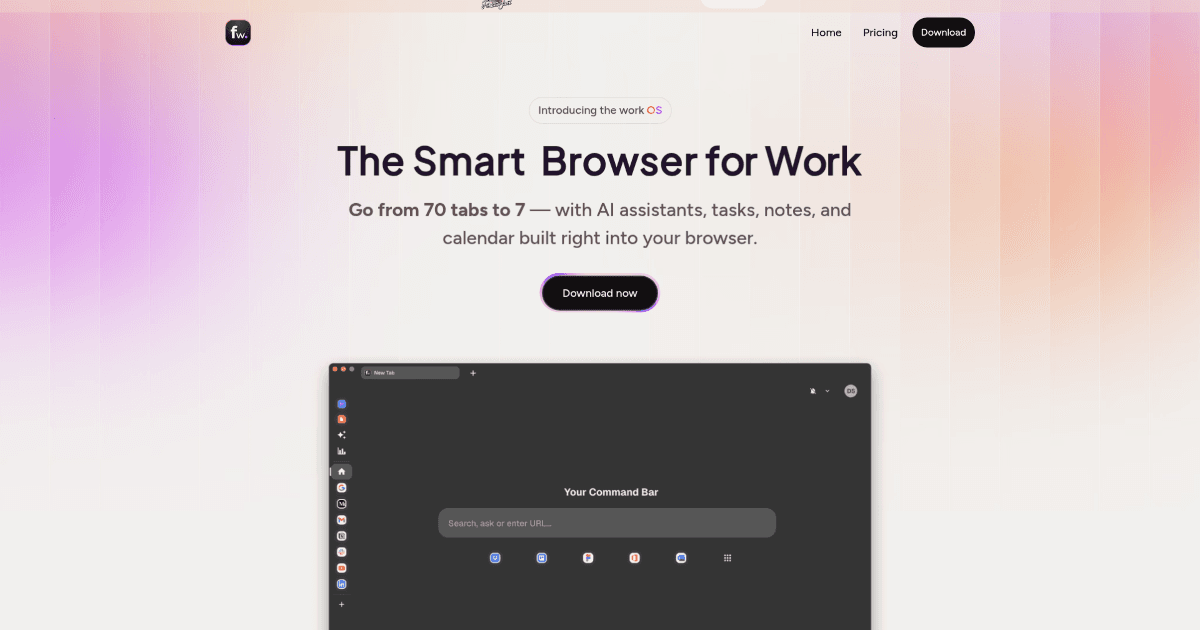
Floutwork is an AI-powered browser designed to enhance productivity by integrating essential work tools directly into the browsing environment. It addresses the common problem of tab overload and scattered digital workspaces by providing a unified platform for tasks, notes, calendars, and AI assistance. This tool is particularly valuable for professionals seeking to streamline their workflows and maintain focus.
As a personal assistant tool, Floutwork reimagines the browser as a central hub for daily work, reducing the need to switch between multiple applications and windows.
What is Floutwork?
Floutwork is a specialized browser that transforms into a comprehensive workspace. It integrates AI assistants, task management, note-taking, and calendar features natively, moving beyond the capabilities of traditional browsers. The core philosophy is to provide a distraction-free environment that consolidates work tools, thereby minimizing context switching and digital clutter.
This "workOS" approach positions Floutwork as a unique solution within the broader category of productivity and work tools, targeting users who spend significant time in their browser and seek a more organized, efficient experience.
Key Features
Floutwork offers a suite of integrated features designed to boost productivity:
- AI Assistants: Create and utilize contextual AI assistants for tasks within platforms like Slack, Jira, and email.
- Productivity Metrics: Automatically calculates productivity scores to help users identify work patterns and opportunities for improvement.
- Smart Inbox Cleaner: Organizes and manages emails by grouping them for easy bulk actions.
- Integrated Task & Note Manager: Add tasks and notes directly from any web page and sync them seamlessly with your calendar.
- Tab Grouping: Keeps browser tabs organized by application or project to minimize chaos.
- Multi-Model AI Access: Provides direct access to several leading AI models without needing to switch tabs or applications.
Use Cases
Floutwork serves a variety of professional roles and scenarios:
- Project Managers: Streamline project workflows with integrated task management and team collaboration features.
- Content Creators: Use built-in AI tools for generating social media posts, marketing copy, and other content directly within the browser.
- Software Developers: Create Jira tickets, draft commit messages, and manage code-related tasks efficiently.
- Remote Teams: Collaborate in real-time using built-in features for meetings, planning, and shared task lists.
- Freelancers: Manage multiple client projects from a single, organized workspace, tracking tasks and communications.
Underlying AI Models or Technology
Floutwork leverages advanced natural language processing models to power its AI assistants and productivity features. The platform provides integrated access to multiple leading large language models (LLMs), including ChatGPT, Gemini, Claude, and Perplexity. This multi-model approach allows users to leverage different text generation capabilities for various tasks like writing, summarization, and code generation directly within their workflow.
The technology is designed to be contextual, understanding user activity within the browser to provide relevant assistance. By embedding these AI capabilities directly into the browsing experience, Floutwork reduces friction and enables more seamless interaction with AI tools.
Pricing
Floutwork offers a free trial for users to explore its core features. The primary paid plan is the Pro Plan, priced at $20 per month. This plan includes full access to the smart browser, productivity metrics, and integrated access to premium AI models like ChatGPT 4.0 Pro, Gemini 1.5 Pro, Claude 3.5 Sonnet, and Perplexity Sonar Pro. It also includes all AI assistant features, the work launchpad, task planner, and instant notepad.
Pricing and plan details are subject to change. For the most accurate and current information, please refer to the official Floutwork website.
Pros and Cons
Pros
- Integrated Workspace: Combines browser, tasks, notes, calendar, and AI into a single application, reducing app switching.
- Enhanced Focus: Designed to minimize distractions and tab chaos through intelligent organization and grouping.
- Powerful AI Access: Provides direct access to multiple leading AI models for various tasks without leaving the browser.
- Productivity Insights: Automated productivity metrics help users understand and improve their work habits.
Cons
- Learning Curve: New users may need time to adapt to the integrated features and novel browser environment.
- Extension Limitations: Support for popular browser extensions may be limited compared to established browsers.
- System Resources: The integrated feature set could be demanding on system resources, particularly on older hardware.
Alternatives
Users seeking different approaches to browser-based productivity or AI automation might consider these alternatives:
- Traditional Browsers with Extensions: Using browsers like Chrome or Firefox with a combination of productivity, note-taking, and AI assistant extensions.
- Dedicated Workspace Apps: Separate applications for note-taking (Notion, Obsidian), task management (Asana, ClickUp), and calendar, used alongside a standard browser.
- AI-Powered Browser Extensions: Extensions that add AI capabilities (like ChatGPT assistants or summarizers) to existing browsers without replacing the entire interface.
- Operating System-Level Assistants: Using built-in system assistants (like Copilot on Windows) or virtual desktops to manage different workspaces.
Frequently Asked Questions
Embed This Tool
Add this badge to your website to show that Floutwork is featured on AIPortalX.

Featured on AIPortalXFloutwork
to leave a comment