
ClickUp
Streamline tasks, docs, and collaboration effortlessly.
Freemium
-
Quick Info
Launch Date7 Dec '25
PricingFreemium
Categories
ClickUp – An all-in-one platform to streamline tasks, documents, and team collaboration.
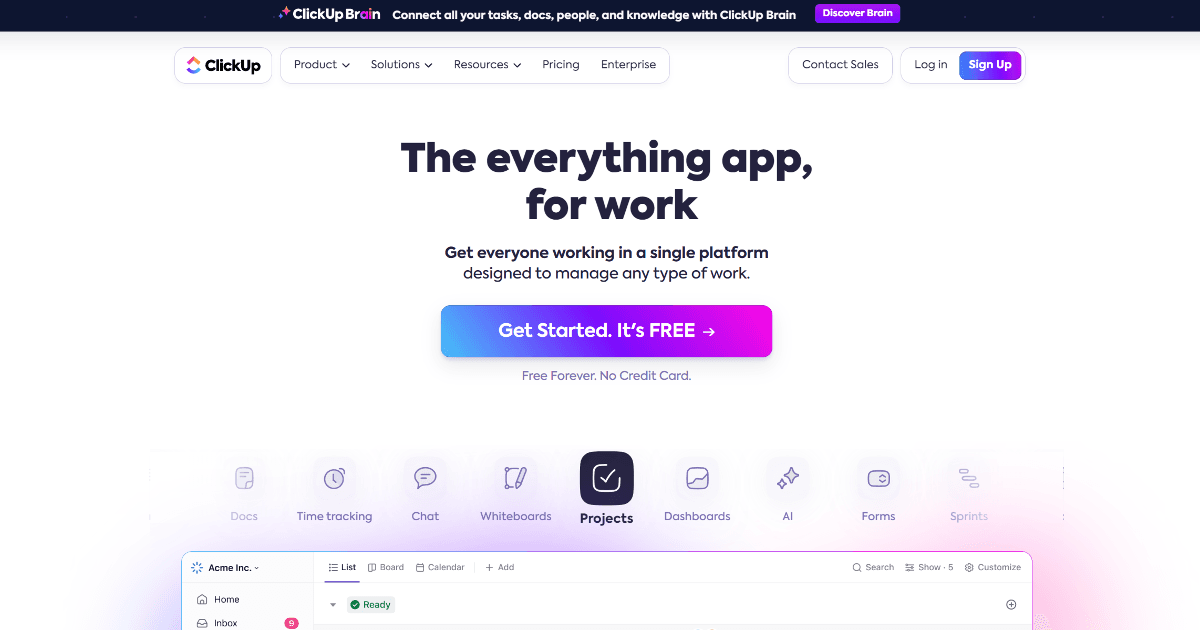
ClickUp is a dynamic, all-in-one productivity platform designed to cater to virtually any type of work across various industries. It integrates tasks, docs, chat, goals, and more into a single hub, making it an indispensable tool for teams aiming to streamline their operations and enhance collaboration. As a comprehensive solution for project management, ClickUp offers functionalities that adapt from simple task management to complex project tracking, making it exceptionally versatile for diverse professional needs.
Its flexibility allows it to serve as a central hub for productivity and work, replacing multiple disparate tools and reducing the complexity of modern tech stacks for teams of all sizes.
What is ClickUp?
ClickUp is more than just a task manager; it's a unified workspace where teams can plan projects, manage documents, communicate in real-time, and track goals. It consolidates the functionality of numerous standalone applications into one platform, aiming to eliminate context switching and boost overall team efficiency. The platform is built to scale from individual freelancers to large enterprises.
Its design philosophy centers on customization and adaptability, allowing users to configure views, workflows, and automations to match their specific processes. This makes it a powerful tool for managing complex workflows across departments like marketing, software development, and operations.
Key Features
- Comprehensive Dashboard Views: Offers List, Board, Gantt, Calendar, and other views to visualize work according to project needs.
- AI-Powered Automation: Automate routine tasks and processes with advanced, no-code automation tools.
- Real-Time Collaboration Tools: Integrated Docs, Whiteboards, and Chat facilitate seamless communication and brainstorming.
- Extensive Integration Options: Connects with tools like Google Calendar, Slack, GitHub, and many others.
- High Customizability: Highly adaptable for different workflows with customizable fields, statuses, and task types.
- Robust Free Version: Offers a powerful free tier with substantial features for individuals and small teams.
Use Cases
- Project Management Offices (PMOs): Utilizing the tool for large-scale project tracking, resource management, and executive reporting.
- Marketing Teams: Managing campaign timelines, content calendars, and cross-functional collaboration on creative assets.
- Software Development Teams: Employing agile methodologies with Sprints, backlogs, and bug tracking in a flexible project management environment.
- Educational Institutions: Administrative planning, curriculum development, and managing research or student projects.
- Startups & Small Businesses: Using it as a central operating system for everything from HR onboarding to daily task management and goal setting.
Underlying AI Models or Technology
ClickUp incorporates AI to power its automation features and provide smart suggestions. The platform leverages machine learning algorithms to analyze workflow patterns and recommend automations that can save time. Its AI capabilities are designed to understand task context and relationships, helping to predict next steps and surface relevant information.
While not primarily a generative AI tool, ClickUp's technology focuses on process optimization and predictive assistance. It applies principles from natural language processing to interpret task descriptions and user instructions, enabling more intuitive automation and workflow management. This positions it within the broader ecosystem of AI-enhanced productivity solutions.
Pricing
ClickUp operates on a freemium model. The Free Forever plan is robust, offering core features for unlimited tasks and members. The Unlimited plan, priced at approximately $7 per member per month, adds features like unlimited storage, integrations, and dashboards. The Business plan, at around $12 per member per month, introduces advanced automation, timeline views, and increased security controls. Enterprise plans are available with custom pricing.
Pricing details can vary, and it is recommended to check ClickUp's official website for the most accurate and current information.
Pros and Cons
Pros
- Extremely versatile and customizable for diverse workflows and team structures.
- Comprehensive all-in-one platform that can replace multiple tools.
- Powerful free tier suitable for individuals and small teams.
- Strong integration ecosystem and API for connecting with other software.
Cons
- The extensive feature set can be overwhelming for new users, requiring a learning curve.
- Some users report performance issues like slow load times with very large workspaces or complex views.
- Pricing structure can become complex as teams scale and require more advanced features.
Alternatives
Teams seeking similar comprehensive project management and collaboration platforms may consider these alternatives, each with its own focus within the broader landscape of AI assistants and automation tools.
- Asana: A popular project management tool known for its user-friendly interface and strong task management capabilities.
- Monday.com: A work operating system that emphasizes visual project tracking and high customizability through building blocks.
- Notion: An all-in-one workspace that combines notes, databases, wikis, and project management, favored for its flexibility.
- Jira: A staple for software development teams using agile methodologies, with deep issue and bug tracking features.
Frequently Asked Questions
Embed This Tool
Add this badge to your website to show that ClickUp is featured on AIPortalX.

Featured on AIPortalXClickUp
to leave a comment